Home Features About Support
SEO Analysis+
Technical SEO+
Content & GEO+
SERP & Keywords+
Get the Chrome Extension — Free
Free & open — no account required

The SEO toolkit
built for the AI era

Audit any page, check AI crawlers, validate schema, track your Google Search Console & GA4 data — all from one Chrome extension.

40+
Built-in Checks
0
Ads & Trackers
Pages / Day
Lumina SEO & GEO
This is just a preview — the extension does much more.Get full analysis with Lumina →

Works instantly on any page

Open the extension, get results. No API keys, no login, no limits.

🔍 SEO Analysis

Complete on-page audit at a glance

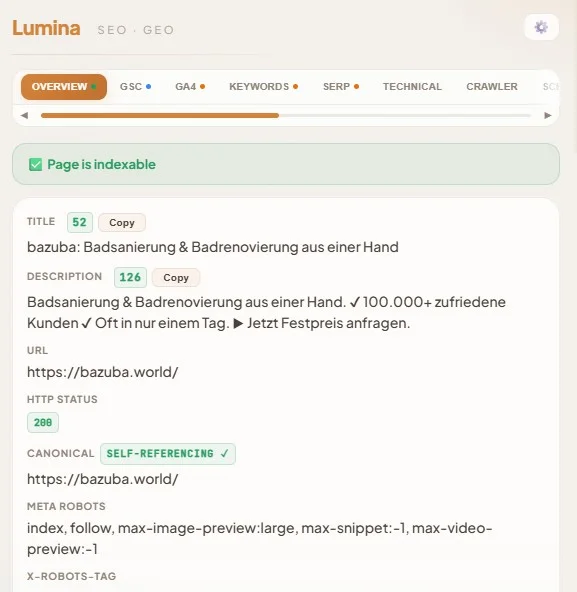
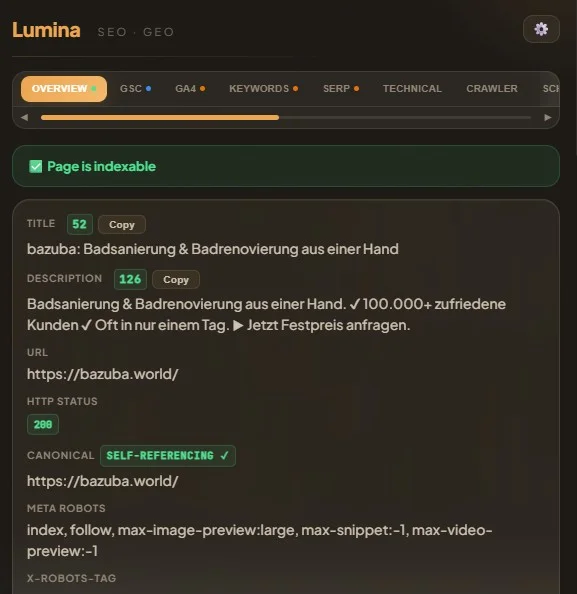
Lumina SEO Extension — Overview tab showing on-page SEO audit
On-Page Audit — Title, description, canonical, robots, HTTP status with live SERP preview and pixel measurement.
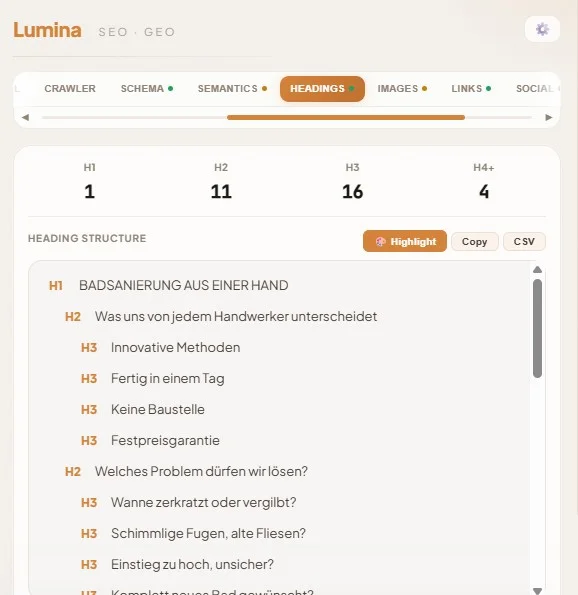
Heading Structure — H1–H6 tree with error detection. Highlight headings directly on the page with color-coded badges.Try it free →
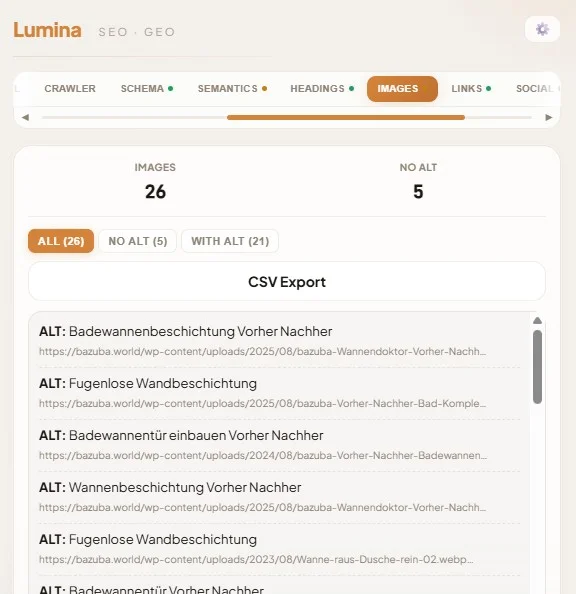
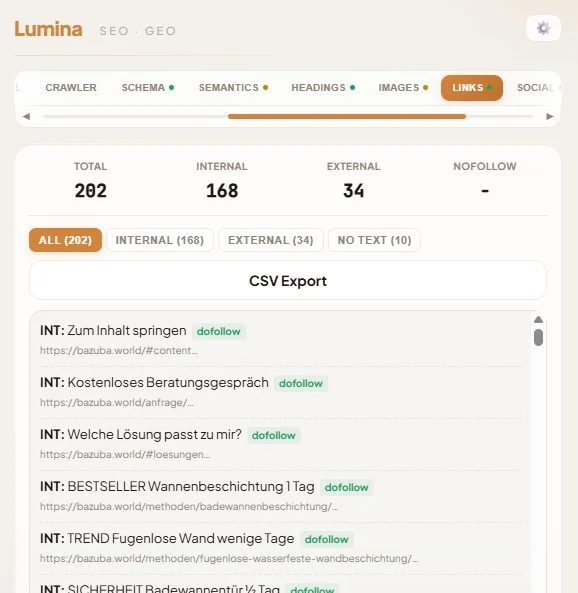
Links & Images — Internal/external links, broken URLs, nofollow/dofollow. Image ALT tags, file sizes, format analysis.Try it free →
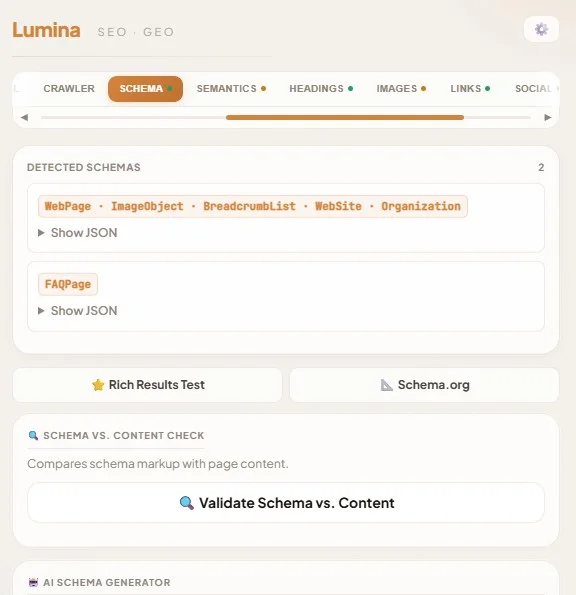
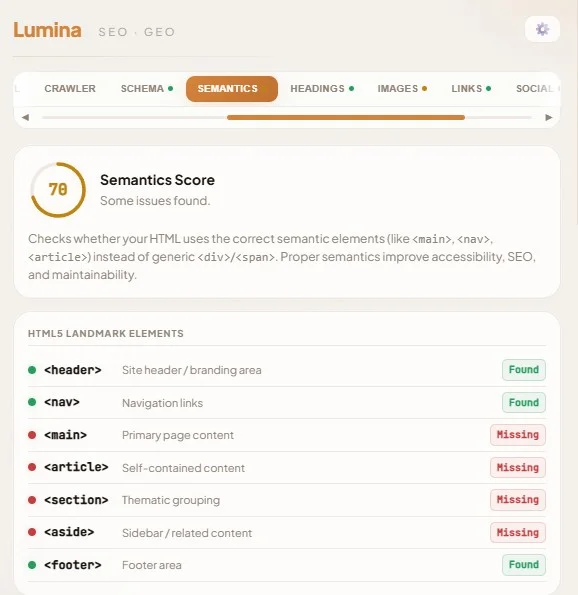
Schema Validation — JSON-LD extraction with deep checks. Validates content against schema data, not just syntax.Try it free →

🕷️ Crawling & Technical

What search engines and AI crawlers really see
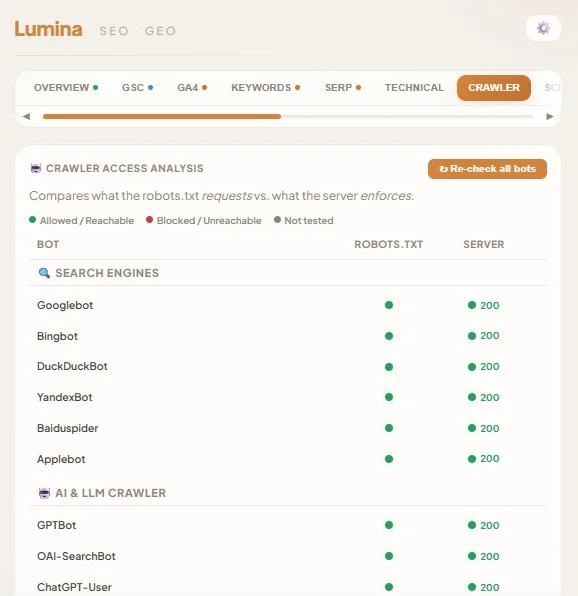
Lumina SEO Extension — Crawler Access Analysis for search engine and AI bots
Robots.txt Parser — Syntax highlighting, sitemap detection, URL-in-sitemap check, live bot access testing with 23 crawlers.Try it free →
hreflang Checker — Validate hreflang tags, return links, self-references, x-default, and language code format across all alternates.Try it free →
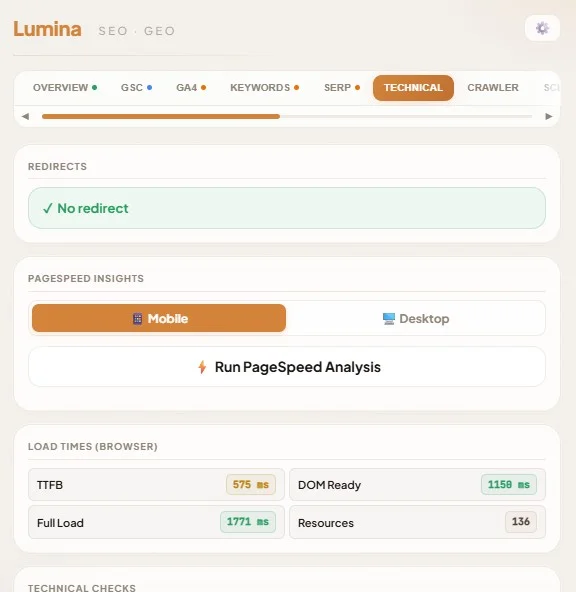
JS vs No-JS — Compare what content disappears without JavaScript. Critical for understanding what AI crawlers actually see.Try it free →
Indexation Alarm — Extension icon turns green/yellow/red based on indexability. See the status without opening the popup.
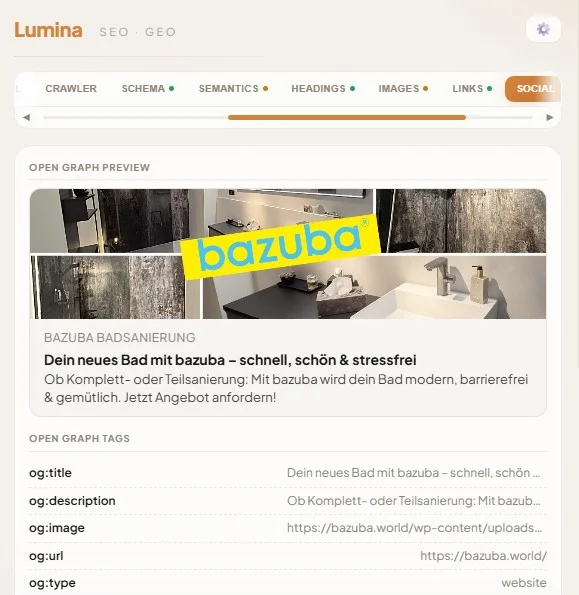
Social & OG — Open Graph and Twitter Card preview. Verify how your page looks when shared on Facebook, Twitter, LinkedIn.Try it free →

📸 Productivity

Built for SEO professionals

Full-Page Screenshots — Desktop, phone, tablet with auto-stitching. Perfect for client reports.
Local Search — Search Google from any city using UULE parameters. No VPN needed.
Keyboard Shortcuts — Press 1–9 for tabs, ? for help. Built for speed. Dark mode included.

Built for the AI search era

Lumina is one of the first SEO extensions with dedicated GEO features. Understand how AI engines see your content — and optimize for them.

🤖

AI Crawler Access Check

See which AI bots (GPTBot, ClaudeBot, PerplexityBot, Google-Extended, DeepSeekBot) are allowed or blocked via robots.txt — with live server verification.

📋

llms.txt Checker

Verifies if the site has an llms.txt file that guides AI crawlers on what content to index and how to cite the site. Checks both llms.txt and llms-full.txt.

📈

AI Traffic Dashboard

See how much traffic comes from ChatGPT, Perplexity, Claude, Gemini, and Copilot — with per-platform breakdown, trend chart, and conversion comparison. Requires GA4.

Power features — free to unlock

90% of Lumina works without any setup. Connect your own API keys to unlock AI tools, keyword research, and live search data. Your keys, your data.

FREE GOOGLE OAUTH

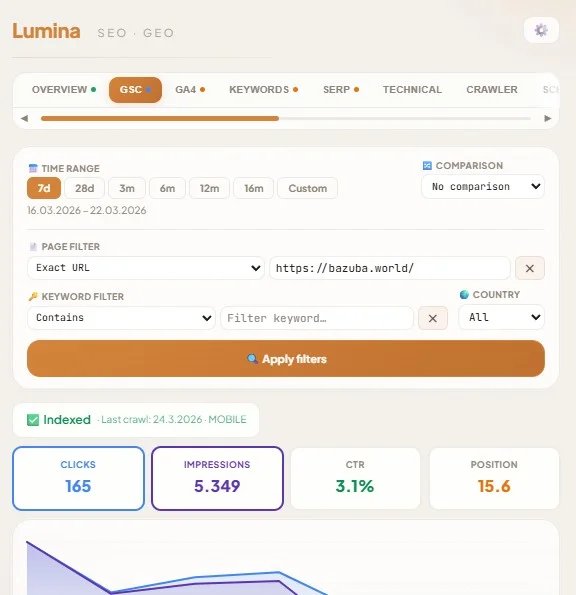
Google Search Console

Full GSC dashboard inside the extension.

  • Clicks, impressions, CTR, position with comparison chart
  • Top queries and pages with volume enrichment
  • Keyword cannibalization detection
  • Winners/losers and low-hanging fruit analysis
FREE GOOGLE OAUTH

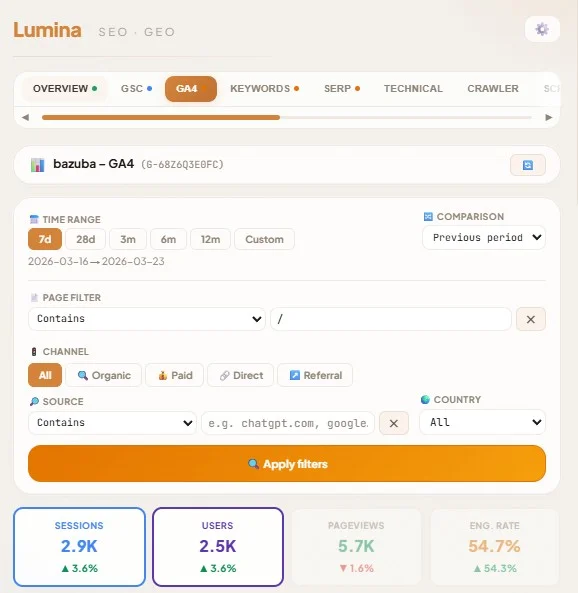
Google Analytics 4

Complete GA4 dashboard with period comparison.

  • Sessions, users, engagement rate, conversions
  • Sources, pages, countries, devices breakdown
  • User journeys and exit page analysis
  • GSC × GA4 cross-reference
DATAFORSEO API KEY

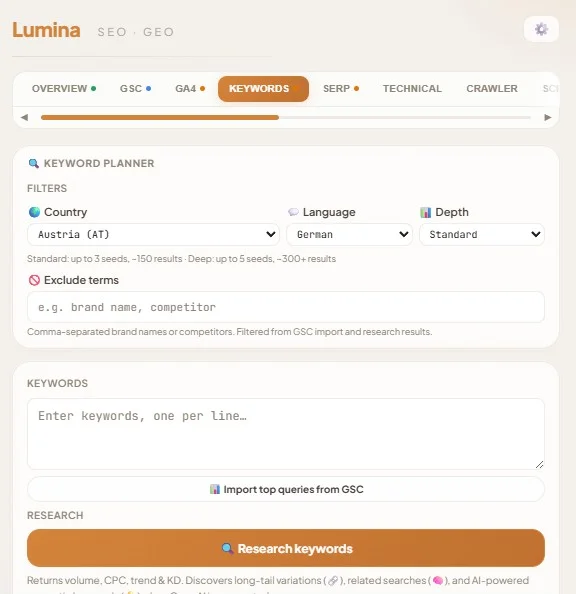
Keyword Research & SERP

Live keyword data and SERP analysis.

  • Search volume, CPC, competition, trend sparklines
  • Related and long-tail keyword suggestions
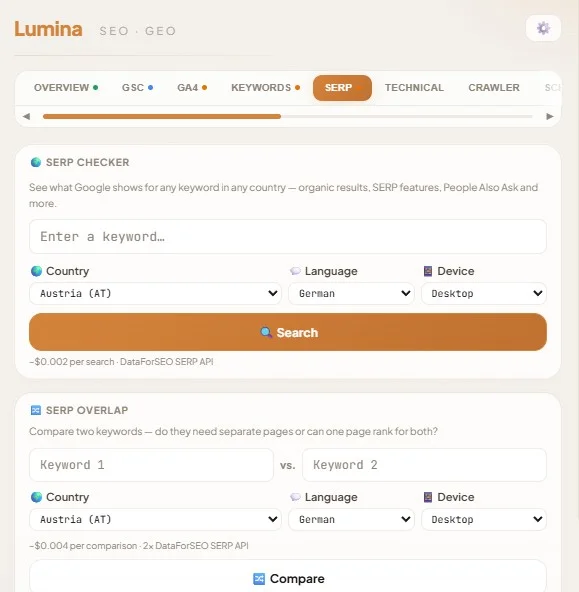
  • Live SERP checker with feature detection
  • Target keyword tracking per URL
OPENAI API KEY

AI-Powered SEO Tools

SEO copilot with full page + data context.

  • Content optimizer with competitor analysis
  • Meta title & description generator with SERP preview
  • Schema JSON-LD generator with site-wide data
  • SEO localization and content translation

More features. Zero cost.

Lumina combines features that usually require multiple paid tools — in one free extension.

FeatureLuminaOther SEO Extensions
On-page SEO auditvaries
Live editable SERP preview
Schema deep validationrare
AI crawler check (robots.txt)rare
llms.txt checker
hreflang validation
AI Traffic Dashboard
Google Search Console
Google Analytics 4
Keyword researchoften paid
AI content tools
JS vs No-JS comparisonrare
Full-page screenshots
PriceFreeFree – $$$

See Lumina in action

Click any screenshot to enlarge.
Built by a practitioner,
not a startup.

Julien El-Bahy

Julien El-Bahy

Web Development Lead, SEO & GEO specialist. I build and manage websites, run audits, and optimize for both search engines and AI — every day. Lumina started as my personal toolkit and grew into something worth sharing.

SEOGEOWeb DevelopmentGoogle AdsChrome Extensions
More about me →

Got questions?

Is Lumina really free?+
Yes. Lumina is 100% free with no account required. Most features work instantly without any setup. Some advanced features (keyword research, AI content tools) use your own API keys from third-party providers — you only pay what you use directly to them.
What is GEO (Generative Engine Optimization)?+
GEO is the practice of optimizing your content for AI-powered search engines like ChatGPT, Perplexity, Claude, and Google's AI Overviews. Lumina helps you check which AI crawlers can access your site, verify your llms.txt file, and track AI-driven traffic through your GA4 data.
Does Lumina collect my data?+
No. All analysis happens locally in your browser. Lumina has no backend server, no analytics, and no tracking. API keys and OAuth tokens are stored in Chrome's local storage on your device. Read the full privacy policy for details.
Do I need API keys to use Lumina?+
No. Over 90% of features work without any keys — on-page audits, heading analysis, link checking, schema validation, robots.txt parsing, llms.txt checking, hreflang validation, JS vs No-JS, screenshots, and more. API keys unlock keyword research (DataForSEO), AI content tools (OpenAI), and live GSC/GA4 data (free Google OAuth).
What permissions does Lumina need and why?+
Lumina needs activeTab and tabs to read the current page, webRequest for HTTP headers, scripting for on-page features like heading highlighting, and host_permissions for robots.txt fetching and API calls. All permissions are explained in the privacy policy.

Ready to see your site
through AI eyes?

Install Lumina in 3 seconds. No account. No payment. No limits.

Get the Chrome Extension — Free